
Solutions
Run Site Inspections With Consistency and Proof
Scheduled. Checklisted. Recorded — Powered by RunboardPRO Dispatch
RunboardPRO gives inspection teams the scheduling and mobile tools to send inspectors to site with the right details — capturing checklists, photos and notes into a clean, timestamped record every time.

The Reality of Site Inspections
Inspections depend on the right inspector reaching the right site with the right checklist, then a record that holds up. When scheduling and reporting live on paper, visits are missed and findings are inconsistent.
Scheduled visits. Standard checks. Clean records. RunboardPRO keeps every inspection consistent and proven.

Scheduling by Spreadsheet
Juggling inspectors and sites on a spreadsheet leads to double-bookings and missed visits.
Site Details Not at Hand
Access, contacts and what to check don't reach the inspector, so time is wasted on site.
Inconsistent Findings
Without a standard checklist, inspections vary by person and important steps get skipped.
Records That Don't Hold Up
Notes on paper and photos on a phone don't come together into a record you can rely on.
Built for Site Inspections
Dispatch & Planning
Inspections Scheduled on One Board
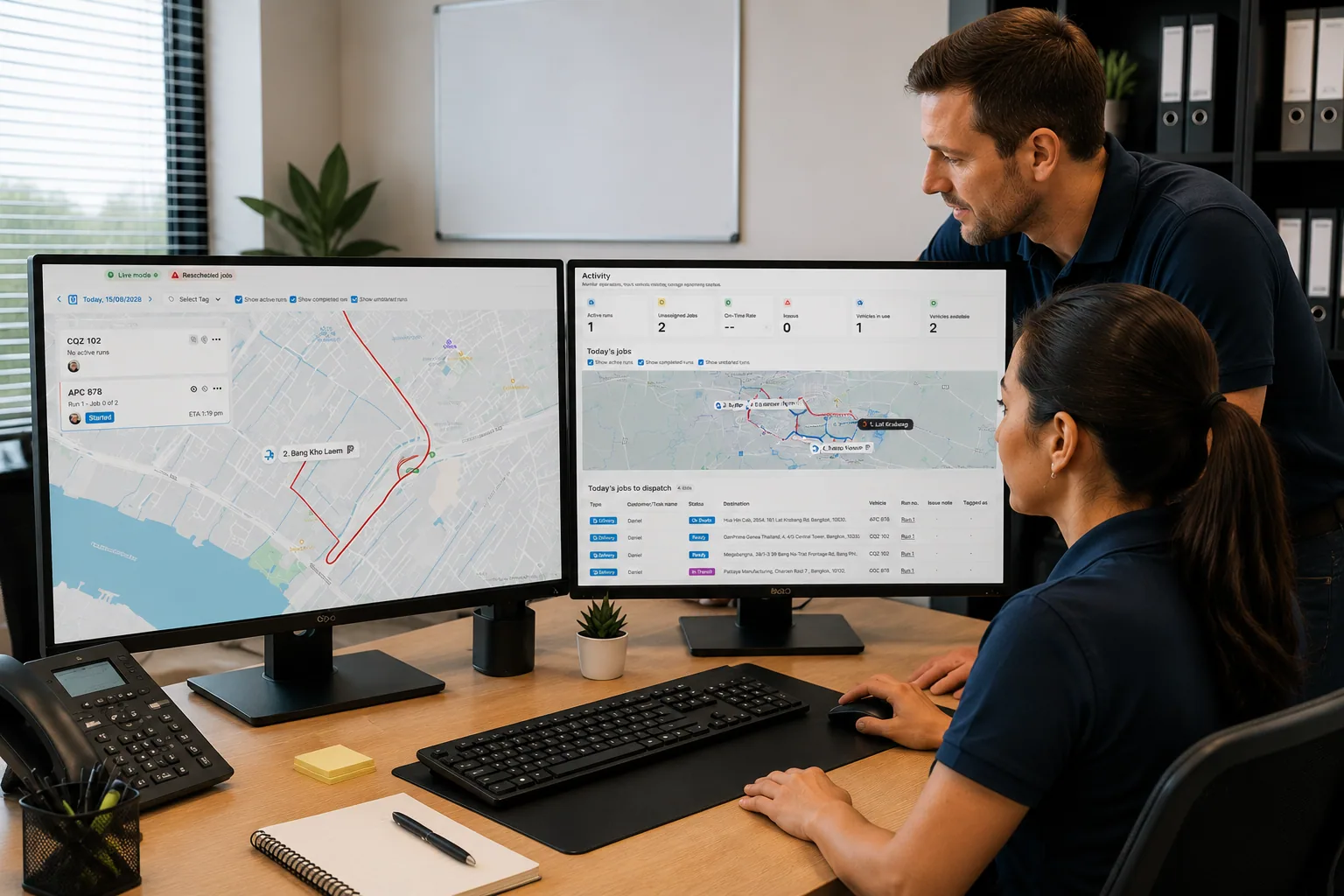
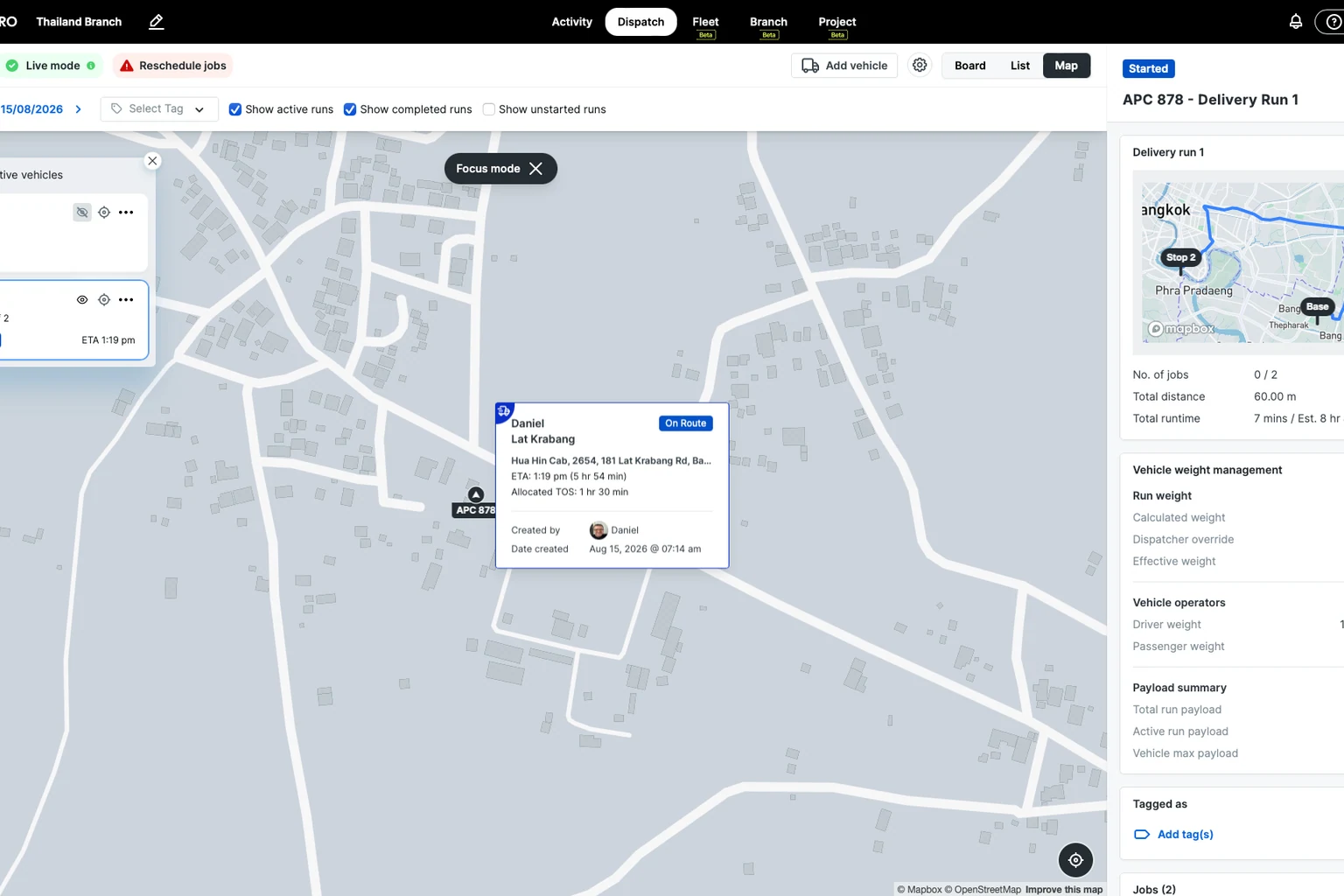
Plan inspections on the Dispatch Board and assign inspectors to sites with drag-and-drop.
Dispatch sees who's where and what's done, so the day is easy to adjust when plans change.
RunTRAC Driver App
Everything the Inspector Needs
RunTRAC gives inspectors the site contact, access notes and job details, with navigation from the address.
Checklists guide each inspection, so every visit follows the same standard.
Customer Tracking & Updates
Sites Know When the Inspector Is Coming
Site contacts get automatic SMS updates and a tracking link as the visit moves to On Route and Completed.
Someone is there to give access, which is what stops a wasted trip to a locked site.
Proof of Delivery
A Record for Every Visit
Each inspection is timestamped and stored against the job with its photos and notes.
The result is a consistent, retrievable record whenever a visit is questioned.
How a delivery runs on RunboardPRO
The same six steps behind every job, from the moment it is created to the proof that closes it.
- Step 1
Job Created
- Step 2
Driver Assigned
- Step 3
Driver Notified
- Step 4
Loaded
- Step 5
On Route
- Step 6
Delivered
What changes on day one
No new admin. Consistent inspections and clean records from day one.
Before RunboardPRO
- Scheduling by spreadsheet causes missed visits
- Site details don't reach the inspector
- Findings vary and steps get skipped
- Paper notes and phone photos don't add up
After RunboardPRO
- Inspections scheduled and assigned on one board
- Inspectors get site detail and checklists in RunTRAC
- Findings, photos and notes captured on site
- Every visit stored as a timestamped record
The platform behind it
Every delivery runs on the same five parts of RunboardPRO.
Related solutions
Every Inspection, Consistent and On Record
RunboardPRO Dispatch keeps everyone connected, informed, and moving even when the day doesn’t go to plan.