
RunboardPRO Live Tracking
See where every delivery is, without asking anyone.
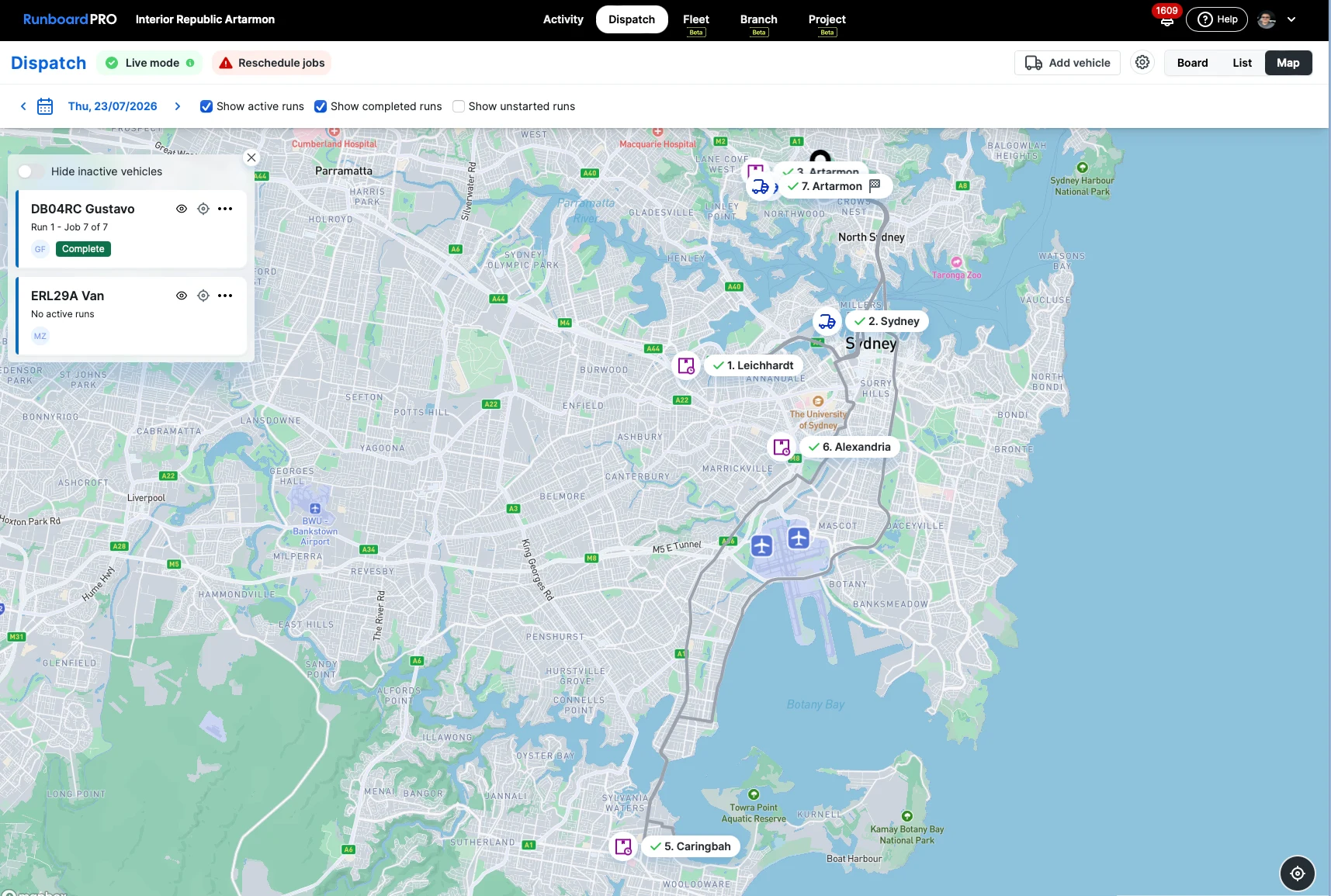
Live tracking turns the delivery day into something you can watch instead of reconstruct — driver progress on one screen, customers updated automatically, and a slipping job visible while there is still time to act.
The delivery day is invisible until someone complains.
Without live status, the office finds out about a problem from the customer. By then the run is already behind and there is nothing left to do but apologise.
Nobody can see the runs
Dispatch knows what was planned this morning, not what is actually happening now.
Drivers get called for updates
Every status check is a phone call to someone who is driving, which is neither safe nor quick.
Customers ring for an ETA
The office fields "where is my delivery?" all day and has nothing live to answer with.
Delays surface too late
A run slips in the morning and is only noticed in the afternoon, once the day cannot be recovered.
One live picture, shared by everyone who needs it.
The same delivery status reaches dispatch, the driver and the customer, so nobody is working from a different version of the day.
Live job progress on one screen
Every active job and its current status — On Route, On Site, Completed — as drivers move through their runs.
A tracking link for the customer
Customers follow their own delivery from a link, which is what stops the calls before they start.
Automatic SMS updates
Status changes go out as they happen, so the customer hears from the system rather than from a chase-up.
Updated arrival times
As a run moves, the expected arrival moves with it, and the customer sees the current answer.
Driver progress without a call
Status flows back from RunTRAC as each stop is worked, so nobody has to interrupt a driver to ask.
Slipping runs visible early
A run running behind is apparent on the board while there is still time to reorder it.
How tracking works
It runs off the same jobs dispatch already planned — there is nothing separate to maintain.
- Step 1
The run is planned
Jobs are sequenced and assigned on the Dispatch Board, each with its address and contact.
- Step 2
The driver starts the run
RunTRAC moves each stop through its statuses as the driver works, and that status is the source of truth.
- Step 3
The customer is notified
An SMS and a tracking link go to the customer as their delivery moves.
- Step 4
Dispatch watches the day
Live status across every run shows what is on track and what needs attention now.
Where live tracking earns its place.
Any operation whose customers plan their own day around a delivery arriving — and ring to find out when.
The rest of the platform
Stop reconstructing the delivery day. Watch it.
RunboardPRO keeps dispatch, drivers and customers on the same live picture, so problems are handled while they are still small.