
RunboardPRO Reporting & Insights
Know what actually happened, not what everyone remembers.
Every job, status change and proof of delivery is already captured as the day runs. Reporting turns that into delivery history you can search, performance you can compare, and answers that do not depend on anyone’s recollection.
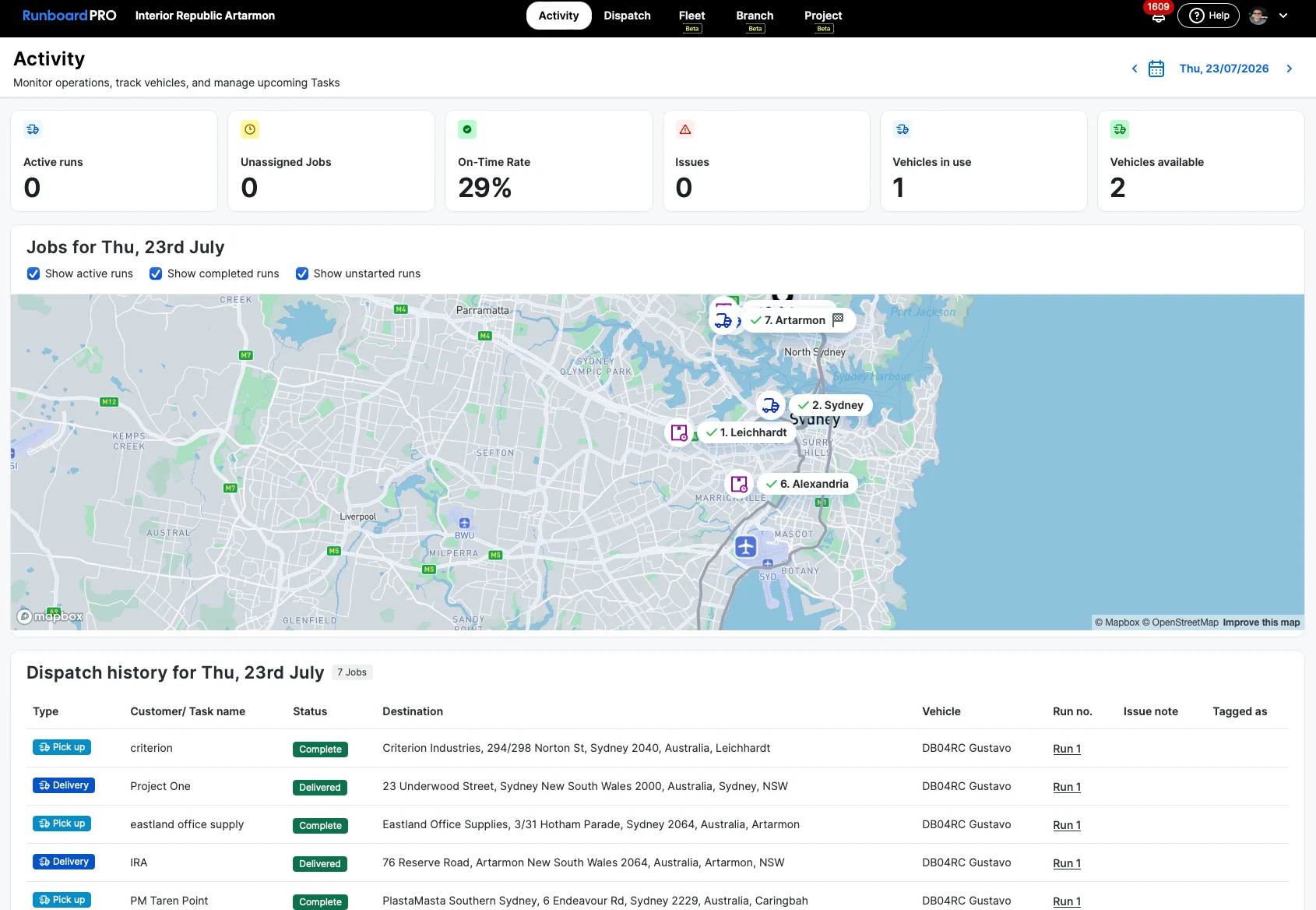
The operation has no memory.
When the information lives on runsheets, in text messages and in the dispatcher’s head, last week is already gone — and every dispute becomes one person’s word against another’s.
Disputes with nothing to show
A customer says it never arrived, and there is no record to settle it either way.
No view of performance
Nobody can say whether deliveries are getting later or which part of the day is the problem.
Reporting means rebuilding
Any question about last month starts with someone reassembling it from paper and memory.
Fleet costs are invisible
What each vehicle actually costs to run is spread across inboxes and receipts.
The record is already there. This is how you use it.
Reporting reads the same jobs, statuses and proof the operation captured as it worked — nothing is entered twice.
Searchable delivery history
Every job kept with its stops, statuses, timestamps and proof of delivery, retrievable when it is queried.
Proof attached to the job
The photos, signature and notes captured at the drop stay with the delivery they belong to.
Delivery performance over time
See how the operation is running across days and weeks rather than judging it one bad afternoon at a time.
Operational reporting
Deliveries by customer, by vehicle and by driver, so a pattern is visible instead of anecdotal.
Fleet information in the same place
Vehicle records, compliance dates, maintenance history and logged expenses sit alongside the delivery record.
Accountability without chasing
Who did what and when is on the record already, so establishing it is not a conversation.
How reporting works
There is no separate data entry step. The record is a by-product of running the day.
- Step 1
The day is worked as normal
Dispatch plans, drivers deliver, statuses move and proof is captured at each stop.
- Step 2
Everything is timestamped
Each status change and delivery record is stamped against its job as it happens.
- Step 3
History becomes searchable
Completed jobs stay retrievable with their full trail, by customer, vehicle or date.
- Step 4
Patterns become visible
With enough days on the record, where the delivery day goes wrong stops being a guess.
Where the record matters most.
Operations that get queried — on damage, on short deliveries, on whether a drop happened at all — and operations answerable to someone else’s standard.
The rest of the platform
Settle it from the record, not from memory.
RunboardPRO keeps the delivery history the operation already generates, so questions about last week have an answer.